Prerequisites
- Launch Option/Start arguments are set. If not look here
- Age of Empires IV Content Editor (Beta) or EssenceEditor.exe is started
- Age of Empires IV is started and your mod is active set!
Attach the Editor to the Game
Inside the Content Editor open the “Script” tab -> In there you can now press “Attach”, to connect both apps together.
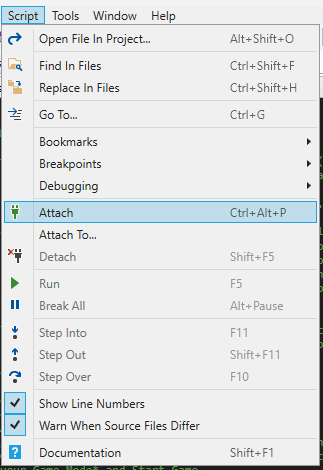
Done! Your Conent Editor is now connected to your current Game.
Breakpoints
The computer will execute the line of codes of your mod very fast! And sometimes we want to see what happens to our variables and code when this happens. For this we have Breakpoints. If these are defined while we are in the debbuging mode -> the game stops and our code pauses at the reached Breakpoint ready for our next action.
Next actions could be:
- Unpause and play
- Step into the next code
- Skip code
Breakpoints can be created and deleted by pressing before the Number of the Line of Code:

The active breakpoint where the game pauses to is marked with an Arrow inside the Red Dot. While a Breakpoint is active you can “Hover” with your mouse over variables and see they current values.
Errors and Exceptions
When an exception occurs on the scar interface or the game crashes -> The attached Editor will print the message to it’s Output Tab. When a fatal exception occurs the game closes after our Content Editor “detaches”.
Next Steps
- Create your first Generated Map
- Browse the API reference