Setup Content Editor
The Content Editor is the main tool for creating mods in Age of Empires IV. You can either find them in your local installation file of your game or by installing the Age of Empires IV Content Editor (Beta) on steam.
Within the game files
As soon as you install AoE IV, you most likely also download the “EssenceEditor.exe” within the files. This is located in the root folder of your game. For example:
C:\Program Files (x86)\Steam\steamapps\common\Age of Empires IV
By installing the AoE IV Content Editor (Beta)
Steam
1. Make sure that you have all filters set in your “Steam-Library”.
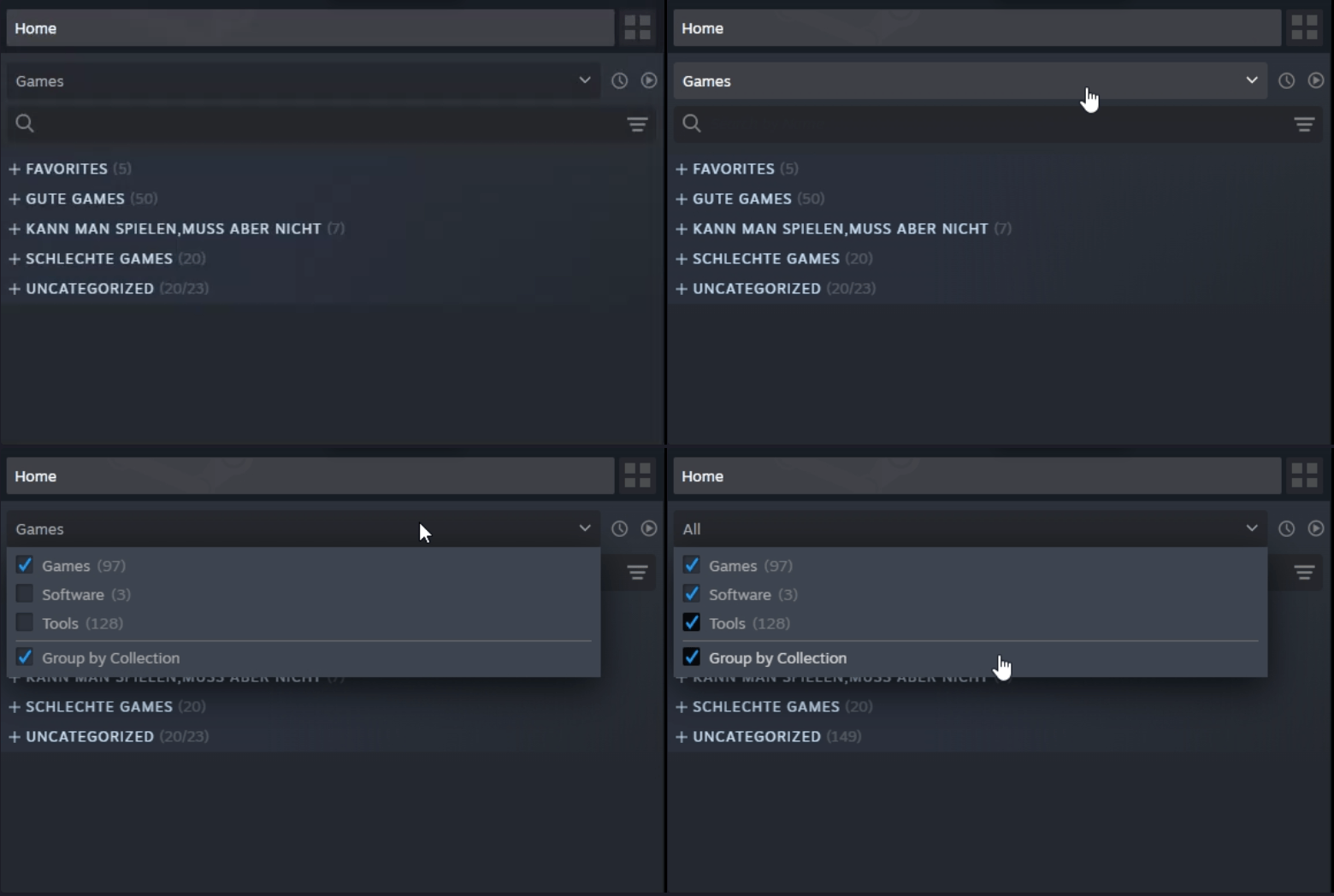
2. Find the Age of Empires IV Content Editor (Beta) in your library and install it.
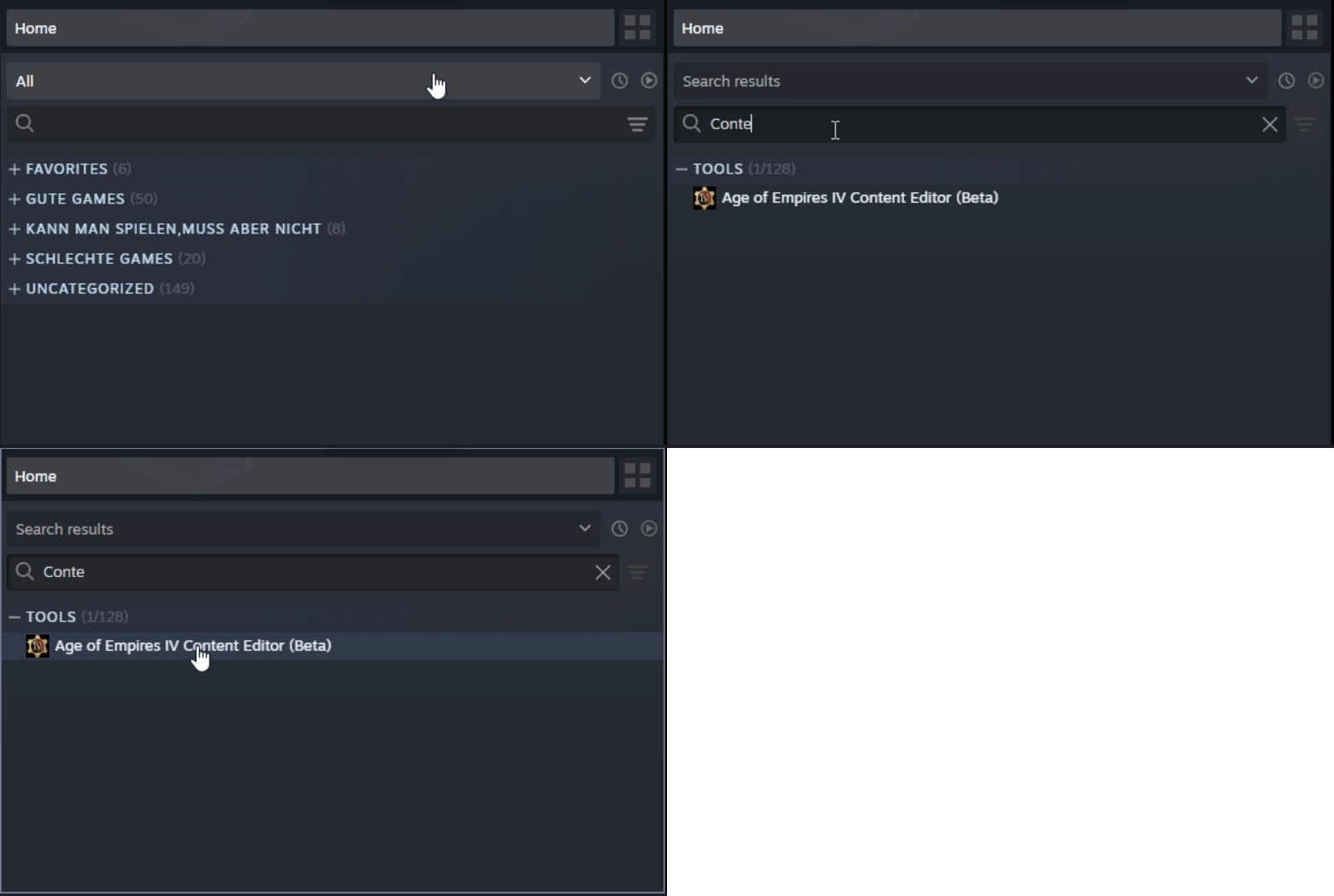
Windows Store
Setup the debug arguments
For debugging your mods and gather information from the running Game, you need to start Age of Empires IV with some Launch Options.
Steam
- Right Click on your Age of Empires IV game in your steam-library.
- Open the Properties/Settings
- Under Launch Options paste in following text:
-dev -enableRpc
Local installation
- If not done already, create a Desktop-Shortcut from your game. The Exe is usually called RelicCardinal.exe
- On your Desktop-Shortcut, right click and open its properties.
- On the Path to your RelicCardinal.exe, add following text behind the path:
-dev -enableRpc
It would look similar to this:
"C:\Program Files (x86)\Steam\steamapps\common\Age of Empires IV\RelicCardinal.exe" -dev -enableRpc
Note: Before using your game regulary for online matches, remove the arguments again!
Note: This page is missing information on the Windows Store procedure.
If you want to add some knowledge to this Page please write an email with additional information to:
bhm.manuel@gmail.com